How To: Automate Focus, Zoom & Exposure Changes in Filmic Pro for Smoother Pull Operations
How To: Automate Focus, Zoom & Exposure Changes in Filmic Pro for Smoother Pull Operations

There are many reasons to use Filmic Pro if you're a mobile videographer. Chief among them is its automated controls, called "pull-to-point" sliders. These pull-to-point controls not only allow you to manually adjust focus, zoom, exposure, ISO, and shutter speed before and during the action, they also let you set start and end points to automate each function, leaving you free to focus on filming.If you're an experienced camera operator, you already know why these tools are so useful. Pulling zoom, exposure, ISO, shutter speed, and focus gives you the ability to control your image precisely. Better yet, automating the experience means you know exactly what your camera is going to do so you get the effect you want on the first take, versus fumbling around with controls and messing up time and time again.It can be challenging to pay attention to your focus, zoom, ISO, shutter speed, and exposure while worrying about your subjects in front of the camera. With pull-to-point, those worries are a thing of the past, and there's less worrying about multitasking.Don't Miss: How to Choose Resolution & Bitrate of Your Filmic Pro Videos
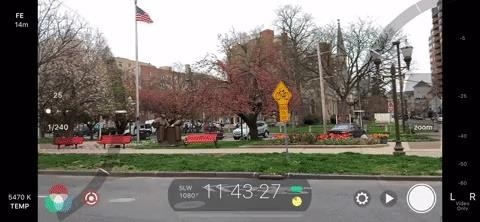
How to Use the Pull-to-Point Slider ControlsBefore we get into automating pull-to-point, we should get ourselves acquainted with the tool in the first place. There are two ways to activate pull-to-point — either long-press on the exposure or focus reticles or tap the pull-to-point icon — the white dot surrounded by three white curves — in the bottom left.A semi-circle wheel, i.e., an arc, will appear on the left side which houses the exposure controls, and the same will appear on the right for zoom and focus. If you tapped the pull-to-point icon, both would show up at the same time. Otherwise, only the one selected will appear. These arc sliders control your chosen function — moving it down moves the control one way, while moving it up does the opposite.For the left arc slider, you can control shutter speed (the fraction on the bottom), ISO (the whole number on top), and exposure which is just the two combined. If you tap either shutter speed or ISO, it will lock that setting in place (the number will become red to indicate it). Moving the arc along its wheel will then adjust for the other option. For instance, if you lock shutter speed, only ISO will change when moving the arc. If neither option is selected, you'll adjust the EV, or exposure value, which changes both shutter speed and ISO at the same time, as mentioned before. You can also quickly change your base ISO by sliding your finger left or right on the dots in between the shutter speed and ISO numbers, where you can select between "Low ISO Bias," "Moderate ISO Bias," or "High ISO Bias." The right arc slider controls both focus and zoom. To choose what the arc slider will control, tap the name of the function inside the arc. For example, select "Focus" to ensure moving the arc along the wheel changes focus. Unlike the left arc slider, this one requires one of these two options to be enabled, so you can't pull both focus and zoom at the same time. What you can do, however, is use both left and right arc sliders at once. Set your functions as noted above, then pull both at the same time. You can change focus and exposure together, zoom and shutter speed, whatever possible combination you can think you'd need.

How to Automate the Pull-to-Point Slider ControlsYou can automate any of the functions mentioned above so that Filmic Pro pulls the focus, zoom, ISO, shutter speed, or exposure to your exact start and end points as soon as you initiate it.To begin, open one of the arc sliders, and select your desired function (focus, zoom, ISO, shutter speed, exposure). Next, move the arc along the wheel to a starting position. I'll use focus for an example, so I would move the arc until the focus is how I want to start the scene, whether that's in focus or out of focus.With the arc slider in the right spot, double-tap on the white bar in the center of the arc, the one indicating where the current position is. You'll notice one of the white ticks on the arc moves to your new location. Next, move the arc along the wheel to an endpoint. For me, that would be to either where I want the focus to reach the end of the out-of-focus effect or when the scene is totally in focus.Now, with the arc in the right spot for the endpoint, double-tap the white bar again, and you'll see the other white tick move to this location. Now, move the arc to the start point by sliding it along the wheel there or by tapping on the tick mark. Next, tap the opposite tick mark or on the arrow beside it, and watch as Filmic Pro takes control of the function you've specified. If you need to make any adjustments, repeat the process for your new locations. It works for all of the five features and both arc sliders. Just like pulling freehand, you can use both arc sliders at the same time while automated. You can also animate the effect in the opposite direction by tapping the tick mark, or its arrow, that was supposed to be the beginning of the effect, therefore turning it into the end of the effect. The tick marks each act as both beginning and end markers, depending on which way you want to play it.

Controlling the Speed of the Automated Pull-to-PointYou might notice when automating pull-to-point that it's not doing it at the speed that you would like. Maybe Filmic Pro is focusing way too fast. Perhaps it's changing exposure way too slow. Either way, you'll be happy to know Filmic Pro lets you customize the speed of pull-to-point sliders.To change the speed, swipe right on the exposure tab (not on the white dots though or you'll change the ISO preset) or swipe left on the focus/zoom tab. A slider will appear next to the black bar, which directly controls the speed of the pull-to-point automatic effect. It ranges from speed "1" at the bottom of the display to speed "10" at the top.You can also adjust the speed of the pull-to-point at the same time that it's in motion, which will provide an interesting ramping up or down effect, where the speed increases or decreased during the automation. There is no way to reset the arc sliders back to the defaults, but you can change to a different preset via the cog menu which may have them in a different location. Also, to go back to automatic settings for exposure and focus, hide the arc sliders, then tap the red reticle for either, which indicates you're using the arc sliders.This article was produced during Gadget Hacks' special coverage on smartphone-based video creator tips for filming and editing. Check out the whole Videography series.Don't Miss: How to Change FPS in Filmic Pro to Shoot & Play Frame Rates from Standard Cinematic to Super Slow-MoFollow Gadget Hacks on Pinterest, Reddit, Twitter, YouTube, and Flipboard Sign up for Gadget Hacks' daily newsletter or weekly Android and iOS updates Follow WonderHowTo on Facebook, Twitter, Pinterest, and Flipboard
Cover image and GIFs by Jake Peterson/Gadget Hacks


How To: Mark exact spots on a Firefox webpage with the Dog Ears extension How To: Train a pet cockatiel to do tricks How To: Say the names of animals in Japanese How To: Identify the common crow when bird watching
How to Translate languages using Google Firefox Extension


It's often the smallest details that determine your overall experience with a smartphone. Unlocking your device with a PIN is an example — and iPhones have had a leg up over Android thanks to their automatic unlocking. Thankfully, this era has finally come to an end with the arrival of the Galaxy
How to Set a Password Folder to Save All Your Secret Photos


7 Ways To Free Up Hard Disk Space On Windows. For example, it won't clear Firefox or Chrome browser caches, which can use gigabytes of hard disk space. (Your
How To Clear Cache on Windows 10 For More Space - TechGYD.COM


Any temporary file types with checkmarks next to them will be deleted when you erase the data. The temporary file types are as follows: Browsing History - The list of pages you've visited in the Chrome app. Cookies, Site Data - Saved pieces of data that help load your frequently visited sites faster.
Erase temporary files | Clean up with an expert tool
AD


Discuss: How to add Google Now reminders using your desktop browser Sign in to comment. Be respectful, keep it civil and stay on topic. We delete comments that violate our policy, which we
How To Create Google Now Reminders From Desktop


How to Create an Instagram Account on iPhone. Open the App Store and download the free Instagram app. To Sign Up for Instagram with Facebook: If you have a Facebook account you're logged into, you'll see the option to Continue as [Your Name] next to a Facebook icon.
Instagram won't connect to Facebook - Apple Community


Amazon.com: solar wrist watch. Fanmis Men's Solar Powered Casual Quartz Wrist Watch Analog Digital Multifunctional Black Sports Watch. 4.1 out of 5 stars 144.
Rock Out With Your Own Wrist-Strapped DIY Mini Synth | WIRED


Jun 19, 2017 · Get breaking news alerts from The Washington Post . Now he wants to ban them for preteens. By Katie would make it illegal for cellphone providers to sell smartphones to children under the
Colorado dad campaigning to make smart phones illegal for


Picking up an Android device for the very first time? Don't worry, we've got you covered! Here's out brief guide on how to navigate through your Android.KEEP IN MIND: Not all Android phones are
How to Move Home Screen Panels on an Android Phone - dummies


Cydelete- Delete Cydia Application Right Off SpringBoard on your iPod Touch and iPhone on 2.2.1/3.0 ipodtouch4life165. TO DELETE: Hold down on a Cydia or Icy app. A little black "x" will appear.
Daily Tip: How to delete Cydia apps from your iPhone - iMore


Click "Continue" once it's done, and the application sends you to your Chrome settings page (chrome://settings) and asks you to reset to default settings. You can reset if you'd like, but there's no reason to if you don't feel like disabling your extensions or clearing your cache. Just click "Cancel" if you don't want to reset your settings.
5 Chrome Extensions That Make Buying from Amazon Even Better


• Install boot animations from your SD card. • Convert an animated GIF to a boot animation. • High-quality boot animation previews. • Auto install a new boot animation each time your device starts up. • Modify boot animations (custom dimensions, background color, frame rate). • Compatible with the CyanogenMod Theme Engine.


The vulnerability is called Shellshock, and it has rocked the security industry to its core. A flaw in the "Bash" shell—the command line interpreter for Unix-based systems including Linux and Mac OS X—has sent server administrators scrambling to patch their systems. Security experts are
Bash shell 'Shellshock' flaw opens OS X, Linux, more to
How To: Get the Classic iPhone Lock Screen on Your Samsung Galaxy S3

How To: Get the Classic iPhone Lock Screen on Your Samsung Galaxy S3

There's one reason why most of us have a Samsung Galaxy S3—because we don't want an iPhone. Yes, there are some pretty cool things about the iPhone aesthetically, but looks aren't everything. Anyway, with the nearly unlimited customizations options we have available for Android, cloning the iPhone-look is no problem—even the lock screen.I've already shown you how to get the iOS 7 lock screen on your Samsung Galaxy S3, but today I'm going to show you how to go back in time and get the classic iOS 6 look instead, complete with old-style unlock slider, camera shortcut, and huge battery indicator. Please enable JavaScript to watch this video.
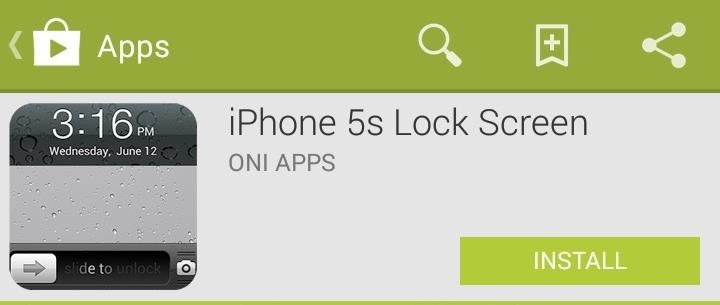
Just grab the iPhone 5s Lock Screen from Oni Apps for free in Google Play to get that classic iPhone-y look. I know, an app with "iPhone 5s" in its name doesn't exactly speak "classic," but trust me, it's the right one. The setup is super super simple; jump into the app and select Set The Background. Then from the drop-down list select, iPhone. You can see that there are a couple more options for the background image, but all of them will still carry the iPhone theme.The camera slider does work, but not in the traditional sense. Instead of sliding like you would on an iPhone, just tap on the icon. The functionality is a little bare aside from the look. Receiving alerts will not show as they do on an iPhone, but are still accessible through the Notification shade. Image via wonderhowto.com iPhone 5s Lock Screen works best if you do not have a passcode or pattern lock enabled, otherwise sliding to unlock will still take you to the input page for your lock. Oh, and to save you the agony, go ahead and rate the app when you get a chance. This pop-up shows up constantly, which is very annoying, so just rate it and it will go away.Below, you can see my transition from normal GS3 lock screen to the new classic iPhone-y lock screen. What do you think? Love it or hate it? Let us know below.


On our quest to show you all of the best wallpaper applications out there, in today's softModder guide I'm going to show you one that lets you create your own live wallpaper for the Samsung Galaxy Note 3 and most any other Android device.
Create Custom Live Wallpapers Complete with Floating


How To: Mimic Your iPhone's Lock Screen in Mac OS X with This iOS-Style Screensaver News: This Hack Turns Your iPad into a Multi-Window Multitasking Powerhouse for $10 How To: Make Your Mac Look & Feel More Like Your iPhone
How to Turn Your iPad Mini's Box into a Free Stand and


Welcome to SheetMusicFox! Download hundreds of thousands of free public domain sheet music titles. SheetMusicFox.com News Septemeber 28th, 2012 - Our iPhone/iPad app is out! Now you can access your sheet music wherever you are! August 6th, 2012 - Complete redesign of SheetMusicFox with over 200,000 sheet music titles!
Free Sheet Music Downloads at Musicnotes.com


The Material Design color system supports alternative colors, which are colors used as alternatives to your brand's primary and secondary colors (they constitute additional colors to your theme). Apps can use alternative colors to establish themes that distinguish different sections.
Unlock a Hidden Network Strength Meter for Your iPhone's


Even with all of the iOS-friendly features built in to Mac OS X Yosemite, your Mac can still feel kind of "old" in comparison to an iOS device—but it doesn't have to. Using the tips and tricks below, you can easily make your Mac desktop or laptop look and feel like iOS 8 in no time.
How To Make Android Look Like iOS 11! (No Root - Free - 2017


Windows Phone runs on Windows 8 operating systems have a beauty Metro-Style Live Tiles that nobody can deny. Love the look of Metro's live tiles? Want to Get Windows 8 Metro-Style Live Tiles on Your Android Device instead of buying a new windows 8 phone?
How to Get Windows 8 Metro-Style Live Tiles on Your Android


Brand new to iPhone and wondering how to set a contact as a "favorite" for speed dialing? It's easy to do, places them in a neat and easy to access list, and setting it up is quite simple. Best of all, once you're done, so are your days of scrolling through your full contact list trying to find that
How to add and manage Favorites in iPhone or iPad's Phone app


How To: Make Your HTC One Feel Like a Nexus 5 with Android 4.4 KitKat How To : Enable "OK, Google" Hotword Detection on Any Screen in Android KitKat How To : De-Bloat Your HTC One to Get a Familiar Stock Android UI—Without Rooting
Nexus One - Wikipedia

Get Rid of Emoji Suggestions in the New Version of Swype for


Finstagram (Finsta for short) is defined by Urban Dictionary as "a mixture of Fake & Instagram. People, usually girls, get a second Instagram account along with their real instagrams


Here's a solid reason for upgrading your old iPhone to iOS 11 before you sell it or pass it down to a family member. iOS 11 has a new Automatic Setup feature where you can set up a new iPhone simply by bringing it near your old iPhone. You scan the new iPhone using your old iPhone's camera, authenticate and Apple will transfer your data
15 Things You Didn't Know Your iPhone Could Do - BuzzFeed


How to Remove the gray ad bar from YouTube with AdBlock Plus

News: You Can Now Save Your Live Instagram Videos

News: You Can Now Save Your Live Instagram Videos

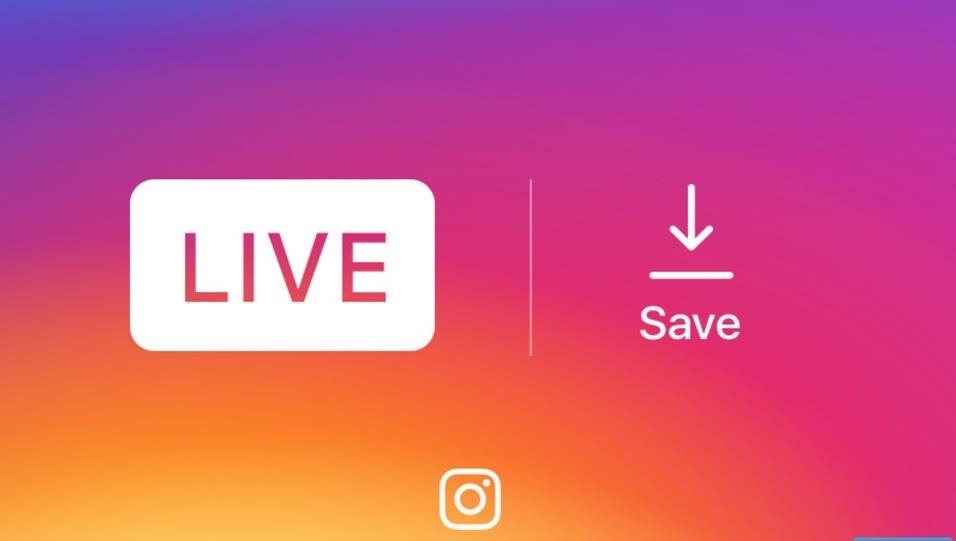
Starting today, you'll have the opportunity to save all your live Instagram videos to your phone at the end of each broadcast session. The latest update to the Instagram app now allows you to rewatch already-played broadcasts and gives you the ability to share them later on.The live video-streaming feature launched last year, but never gave users the ability to save broadcasts after they wrapped. Now, live videos can be saved by tapping "Save" in the upper-right corner when your broadcast ends. Comments, likes, and viewer statistics will not be saved, and the video won't be accessible to you within the app, but after tapping "Done," the video will save to your camera roll for you to access later on. Image via Instagram Don't Miss: How to Use Multiple Instagram Accounts on the Same PhoneTo try the new feature, just make sure to update your Instagram app to version 10.12, which is rolling out to the iOS App Store and the Google Play Store today. On the update, Instagram stated in a press release that:We are excited by how our community is using live video to connect with their friends and followers in the moment. This is just the first of many improvements we'll be making to live stories this year.The new update puts Instagram on the same level as Twitter's Periscope and Facebook's Live which already allow users to save videos. Originally, Instagram's head of product development, Kevin Weil, didn't want users to be able to save the live videos "to make users more comfortable with live-streaming by removing pressure that the videos would be saved forever." However, your live videos still won't be online forever, as replays don't automatically save.Don't Miss: This Boomerang Hack Lets You Post Apple's Live Photos on InstagramFollow Gadget Hacks on Facebook, Twitter, Google+, and YouTube Follow Apple Hacks on Facebook, Twitter, and Pinterest Follow Android Hacks on Facebook, Twitter, and Pinterest Follow WonderHowTo on Facebook, Twitter, Pinterest, and Google+
Cover image via Wokandapix/Pixabay


Instagram's live video feature is now a bit less ephemeral, thanks to the Facebook-owned social media company's announcement on Monday that its users can now save any live videos they broadcast
Instagram now lets you save live videos: Here's how to do it


After your live broadcast ends, you can now save Instagram Live videos. Press Save in the upper right corner. You'll only be able to save your video — not the comments, likes, number of
Instagram Live isn't Live Anymore -- You Can Now Save Your


Instagram Live videos can now be saved for playback for 24 hours you can choose to share your live content even when it is no longer live. How to save Instagram videos; Earn more likes on
Instagram now lets you save your live videos to - Engadget


Are you using live video on Instagram? Wondering how to save Instagram live videos so followers can replay them later? In this article, you'll discover how to get an extra 24 hours of view time for your live videos with Instagram Live video replays. Instagram Live Replays: What Marketers Need to Know by Jenn Herman on Social Media Examiner.
You can now save your Instagram live streams to replay for 24


The app doesn't actually give you an option to save Instagram videos posted by those you follow. You can only copy the link to the post, or bookmark it in the app as part of a private collection .

You Can Now Save Instagram Live Videos | News & Opinion


Starting today, you'll have the option to save your live video to your phone at the end of a broadcast. While live videos will continue to disappear from the app when you're done, this update gives you the flexibility to hold onto your video and re-watch it later, especially if something exciting happens during your…
Instagram Live Replays: What Marketers Need to Know


Disappearing video is great -- unless you don't want it to disappear! Now, Instagram Stories will give you the option to save a replay of your live videos. The company announced the move in a blog
Save Instagram Live Video in Stories | WIRED UK


There's a new "save" button in the top right corner of the screen after you finish a live session. Instagram explains that you can only take the video with you without any of the likes, comments
New: Save Your Live Video to Your Phone - Instagram


Instagram began letting users stream live videos last year, but it didn't let them save broadcasts. But the app has now updated, finally allowing users to download broadcasts to their phones once
Want to save your Instagram live video? Now you can - CNET


Instagram today is rolling out the option of saving your public live broadcasts to your Instagram story, where they can be replayed by your followers for the next 24 hours. Starting today, you can
How to Save Instagram Videos: 5 Easy Ways - The Daily Dot

How To: Create Double Exposures with Your Cell Phone

How To: Create Double Exposures with Your Cell Phone

In photography, creating a double or multiple exposure photo involves combining two different images to make one single image. This technique has been used in film photography by exposing a piece of film twice to two different images. The second image becomes superimposed onto the first image, creating various effects that may mirror one another or seem ghostly.Throughout the years, photo editing software such as Photoshop has made the technique of creating multiple exposures even more common and accessible. For all of you phoneographers out there, life gets even easier now that you can create double exposures right on your cell phone with the simple installation of some easy-to-use photo apps. A double exposure of the band LADYTRON. Image by Neil Krug/Flickr The app that I am going to use today is called Little Photo, which is available for free in the Google Play Store. The following two images, taken on my cell phone, will be used to demonstrate double exposure. Little Photo launches with an image of a camera. Tap the camera to take a new photo, or tap the gallery icon at the bottom to import an existing photo. After the photo is imported, tap the screen to pull up the menu. Select "Tools", then "Multi expo". Your gallery will appear so that you can select the image that you would like to superimpose over your original image. Choose your image, then toggle the "Effect tuning" bar so that the image of your choosing is more or less prominent and suits your preferences. Tap the screen once more to save your image, and there you have it! A double exposure created in just a few easy steps. Other double exposure apps include Doublexposure Pro, Fusioncam, DXP (free version here), and Pinhole Camera for the iPhone, as well as Vignette and Multiple Exposure Creator for the Android.Have fun experimenting with different photos, and why stop at two? Overlay as many images as you like. Also, don't be discouraged if the result isn't what you expected. It's all a part of the fun!


Get instant access to search and more every time you open your browser by setting your homepage to Google have fun with the Doodles you love. every step of the way. I'm Feeling Lucky
Tried the Revolving Google, Uneven Google or Toogle!?


How to Block Ads on Google Chrome. This wikiHow teaches you how to block pop-ups in Google Chrome on both desktop and mobile, as well as how to block ads in the Google Chrome desktop browser by using the AdBlock and Adblock Plus extensions. Unfortunately, while using ad-blocking extensions will remove embedded ads
Remove unwanted ads, pop-ups & malware - Android - Google

How to Organize Tasks Better & Increase Your Overall


The app will now appear in your list of Chrome extensions. If you're a particular fan of Chrome apps, you might also notice that a shortcut has been added to the Chrome app launcher. Depending on
Top 7 Cool Chrome Extensions You'll Want Right Now - YouTube


Mar 23, 2015 · Instagram today announced the debut of a new application called Layout, the company's next standalone creation tool outside of its flagship photo-sharing application.With Layout, Instagram users
Top 10 Instagram Alternatives - Best Options in 2018


Setting up a Bluetooth headset can seem intimidating, but it's actually pretty easy as long as you follow the steps. Below, we'll outline how to set one up with both an Android phone and an iPhone


Learn how to hack a toy radar gun in order to get one radar gun even the cops don't have in this clip.
Hot Wheels Toy Turned Radar Gun | Hackaday


While remotely hacking into someone's phone and gaining access to their system files and photos is extremely difficult, hacking into an email account is much easier. While MMS is usually the method of choice for those sending images over their phone, many people still use their email accounts for sharing files.
How to Hack Someone's Cell Phone to Steal Their Pictures


Thankfully, MoviePass isn't the only movie ticket subscription service available. We've compared all the best plans on the market to help you find the one that's right for you. News : Cinemark Movie Club Is a Great Subscription for Occasional Filmgoers & Popcorn Addicts
123inkjets Coupons « Samsung GS4 :: Gadget Hacks


In this post, we offer two easy and fast ways to delete Apps on iPhone X, try them by following these guides. How to delete Apps on iPhone X on Home screen. Actually, it is easy to delete Apps on iPhone X either from the Home screen or the iPhone Settings. This part demonstrates deleting Apps on iPhone X from Home screen by tapping X. 1.
How To Force Close Running Apps on iPhone X - techviral.net


We supply Samsung unlock codes for 3,354 Samsung cell phone models. Since launching this phone unlocking service, over 620,311 customers have already received Samsung unlock codes. It doesn't matter if it's an old Samsung, or one of the latest releases, with UnlockBase you will find a solution to successfully unlock your Samsung, fast.
Samsung Unlocking Instructions - UnlockRiver


Check your firewall setup to see if these ports have been added for some specific purpose. If you don't see anything in your firewall rules list regarding these ports, it could indicate that you have malware running on your computer and it's possible that your PC may have become part of a botnet .
How to Enable Your Wireless Router's Built-in Firewall


Meet the HTC U Ultra phablet. With its 5.7" screen, next generation intelligence and sophisticated liquid surface, the U Ultra phablet is made for U. Featuring a convenient new dual display, an adaptive sound system and a personal companion that gets to know you.
Latest cameras news - breaking cameras news, leaks and


Notes for Gmail Adds Sticky Notes to Your Messages lets you add notes to Gmail. It's a simple but incredibly useful tool, and for the moment it's free. Just open any email message and then
Simple Gmail Notes: Add Note to Emails - moneylife.in

News: Why Spark Is Our Pick for the Best iPhone Email App

News: Why Spark Is Our Pick for the Best iPhone Email App
Apple's Mail app for iOS isn't a bad email client by any means. However, it just doesn't cut it for iPhone users that want a more intelligent and advanced email solution. If you're in the market for an app like that, Spark is absolutely your best bet.We went through every free email app we could get our hands on in an attempt to find the best of the bunch. The App Store is full of email clients vying for your patronage, each with their own strengths and weaknesses. But Spark rises above the rest, mainly because its pros far outweigh its cons (and, spoiler alert, there aren't too many of those).Don't Miss: The 5 Best Free Email Clients for Your iPhone

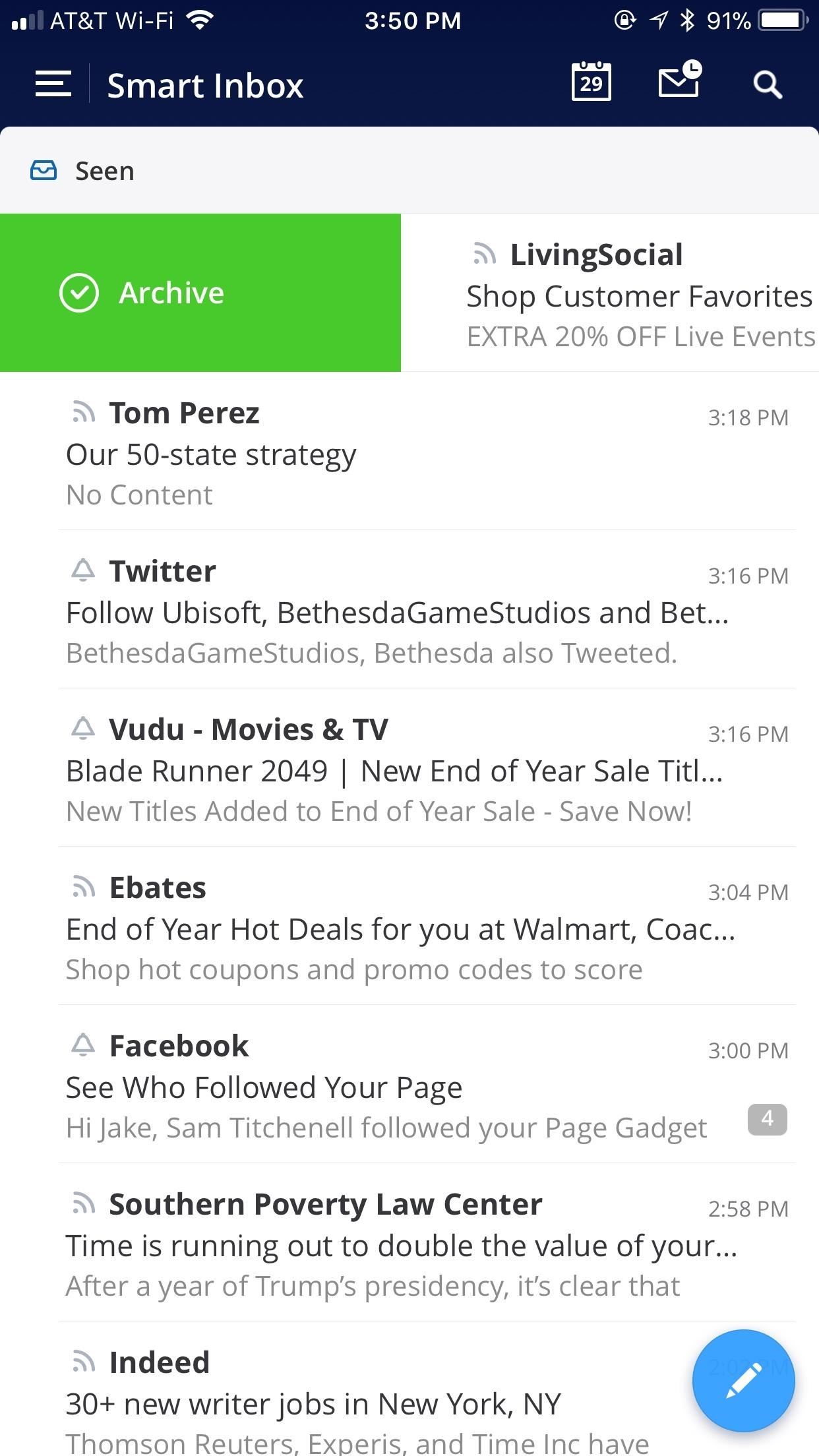
Intelligent Email FeaturesLet's get this out of the way — Spark is smart. The app's "Smart Inbox" seamlessly sorts your emails into one of three categories — "Personal," an inbox for emails from real people (mostly) who address you directly; "Notifications," emails typically from various sites and services you belong to; "Newsletters," a space for recurring emails like newsletters or advertisements. What you find is most of the emails in "Notifications" and "Newsletters" can be ignored entirely, returning focus and control to your inbox. A typical email app will display all these emails together in chronological order, cluttering up your space and increasing the risk for the important stuff to get lost in the mix. Not with Spark.If you want to send an email at a time you know you won't be by your iPhone, Spark lets you do just that. You can pick what day and time that email will be sent, so you don't have to worry about forgetting about it. You also won't forget to read or respond to important emails in your inbox thanks to "snooze," which reminds you of emails minutes, hours, or days after they are received.

The Best App FeaturesSpark sports virtually all the best features you look for in an email app. It allows for up to four swipe actions, which let you swipe left or right on an email to gain extra controls. You can select all emails when searching, which gives you much more control over the organization of your inbox, and the app automatically saves frequent searches, so you won't have to type the same search twice. Speaking of searching, you can also search for attachments specifically, which makes it much easier to find that one Christmas photo your grandmother emailed you five years ago. When you draft up an email thanking her for that photo, you can minimize that draft to multitask in-app, so you never have to save and later fish it out of the draft folder.In line with its intelligent email features, Spark sends you smart notifications as well. The app will only ping you when you receive an email to your "Personal" inbox, which makes for a much cleaner notifications view. In fact, you can even respond to emails from the lock screen, without ever jumping into the Spark app itself.When you do need to open Spark, you don't need to settle for its default look. You can choose from four different color themes, handing a level of personalization and customizability to the user.

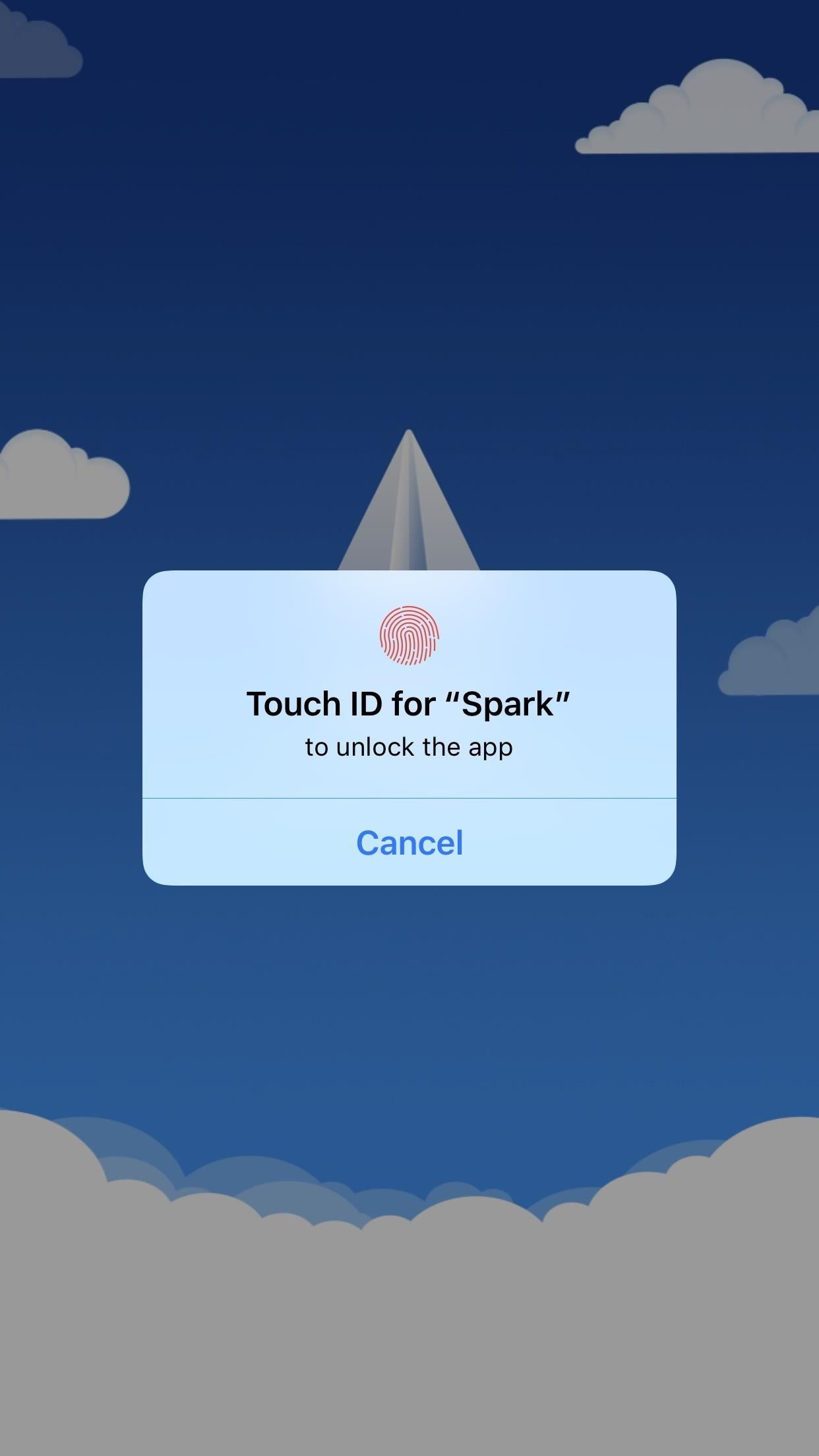
Built for iOS, Works Well with OthersSpark knows its platform. The app elegantly supports 3D Touch, which gives interacting with emails another layer of depth. Users can also protect their inbox with Touch ID, which will block anyone from accessing the app without your fingerprint. And, to the enthusiasm of iPhone X owners, Spark is "Notch-friendly," meaning the developers have optimized their app to fit the newest iPhone's unique display. It's the attention to detail that truly rounds out the entire Spark experience. But it's not just in the way Spark works with the iPhone. Spark also works with other applications, and even includes native calendar support. When you connect your email to Spark, your information gets loaded into Spark's in-app calendar. You never need to leave the app to check your day's agenda.You can also connect third-party applications to Spark — apps like Dropbox, Google Drive, Evernote, and more all work well with Spark, and serve to give users an abnormally complete mobile email experience.
In Conclusion ...No matter how you shake it, Spark is the king of iOS email. It nails almost every note, with its intelligent suite of email and app features. Most of its competitors have some of these options, while other sport the rest. Spark virtually has them all, leaving very little to be desired.If you're tired of the iOS Mail app and you're looking for a change, you cannot — and will not — go wrong with Spark.Don't Miss: How to Add Emails Accounts to Mail in iOS 11 on Your iPhoneFollow Gadget Hacks on Facebook, Twitter, YouTube, and Flipboard Follow WonderHowTo on Facebook, Twitter, Pinterest, and Flipboard
Cover image and screenshots by Jake Peterson/Gadget Hacks


How To Get Rounded / Circle App Icons Theme On iOS 11 Home Screen Without Jailbreak By Paul Morris | December 23rd, 2017 Here's how you can use a file explorer built with the iOS 11 async_wake exploit to change the appearance of app icons to rounded/circular on Apple devices running iOS 11.0 to iOS 11.1.2.
How to Get the Pixel's New Rounded Icons on Your Android


To switch between internal storage and the external memory card on a dual storage device like the Samsung Galaxy S4, please tap on the icon in the upper left to slide out the Menu. You can also tap and drag-right to slide the menu out. Then tap on "Settings".
how to change storage to sd card on samsung tablet - YouTube


Home Support Motorola DROID MINI by MOTOROLA How To Use. Internet & Web Browser Keyboard. Language 24/7 automated phone system: call *611 from your mobile
How to Use The DROID 2 Smartphone From Motorola (25 Video

How to Start using your new Samsung Galaxy Tab with - Tablets


How To: Turn Your Samsung Galaxy S4 into a Wireless Shutter Release Remote for Your DSLR Camera News: Here's Why Notifications Are the Best Galaxy S9 Feature When Compared to iPhones How To: Never Miss Another Call or Text After Class by Setting Timed Silence Periods on Your Galaxy S4
How to Control Your Samsung Smart Camera with Your Android or


Best Android Apps To Stream and Download Movies and TV Shows For Free. While there are premium services like Netflix, iFlix and the rest that allows you stream and download movies for offline viewing, most of the android apps I'd be stating here, are completely free to use.
Top Best Apps To Stream Movies And TV Shows On Android


You can use your android phone as a wireless microphone for PC. You most probably have the android all the time. So, using android as microphone will surely help you to chat or record easily with crystal clear audio. In this post, we are going to see 2 apps that help us to use android as a microphone. Let's get started. Use Android as Microphone
How To Use Your Android Device As a Microphone For Your


Xiaomi Poco F1 will change the definition of flagship: Here's why Poco F1 will be an affordable flagship from Xiaomi with the latest Qualcomm Snapdragon 845 processor. Here's why Xiaomi is venturing into this space
5 reasons why Windows on ARM could change computing -- and 3


Still, there are some options for adding content to your Stories on Instagram like links, so if you aren't verified, don't give up hope. So whether you've been looking to share a link to your band or to your online store, we've got some ideas for how you can do it.
How to Add Links to Instagram Stories: 3 Steps to Drive


OnePlus 5T Announced with 6-inch Bezel-less Display, Face Unlock, and Dual-Camera Setup Posted by Rajesh Pandey on Nov 16, 2017 in Tech News OnePlus today unveiled their 'T' upgrade to the OnePlus 5: the OnePlus 5T.
OnePlus 5T Unveiled with 6-inch Bezel-less Display, Improved


If you are looking for a guide to jailbreak iOS 5.1.1 then you have come to the right place. In this post we will show you how you can jailbreak iOS 5.1.1 in a detailed step by step guide. We will be using the RedSn0w 0.9.15b3 tool and the whole process would take more or less 5 minutes to complete
How to Jailbreak iOS 10, 10.1, or 10.2 on Your iPhone, iPad


How To: Play 'Comix Zone' on Your iPhone Now & Relive the Glory Days of Arcade-Style Fighting Games Gaming: Play 'Final Fantasy XV: A New Empire' on Your iPhone or Android Before It's Officially Out How To: Play NES Game ROMs on Your iPad or iPhone—No Jailbreak Required How To: Play 'WWE Tap Mania' on Your iPhone or Android Before It's
Does anyone know how to perform the "broadpwn" hack on an iPhone?


Apple just released iOS 12.3 developer beta 5 today, Tuesday, May 7. The release coincides directly with Google I/O, Google's big hardware and software presentation, and comes eight days after the release of 12.3 dev beta 4.
How to download iOS 13 developer beta 1 to your iPhone

How To: Delete Your Facebook Account & Scrub Your Data

How To: Delete Your Facebook Account & Scrub Your Data
With the news that Cambridge Analytica obtained over 50 million Facebook users' information without their consent, there are no doubt many of us considering that terrifying yet alluring endgame — deleting Facebook. While difficult to figure out, deleting your Facebook account is actually a quick affair. You just need to know where to look.Now, they say nothing on the internet can be erased, but besides the odd message here and there kept by your Facebook friends, your data will be destroyed if you delete your account. Facebook claims they delay deletion request a few days, so if you log back in during that time your account will be saved. However, there's no clock letting you know when that deadline has passed, so best not to mess with this process unless you're positive you're done with Facebook for good.Don't Miss: How to Make Your Facebook Account Delete Itself When You Die

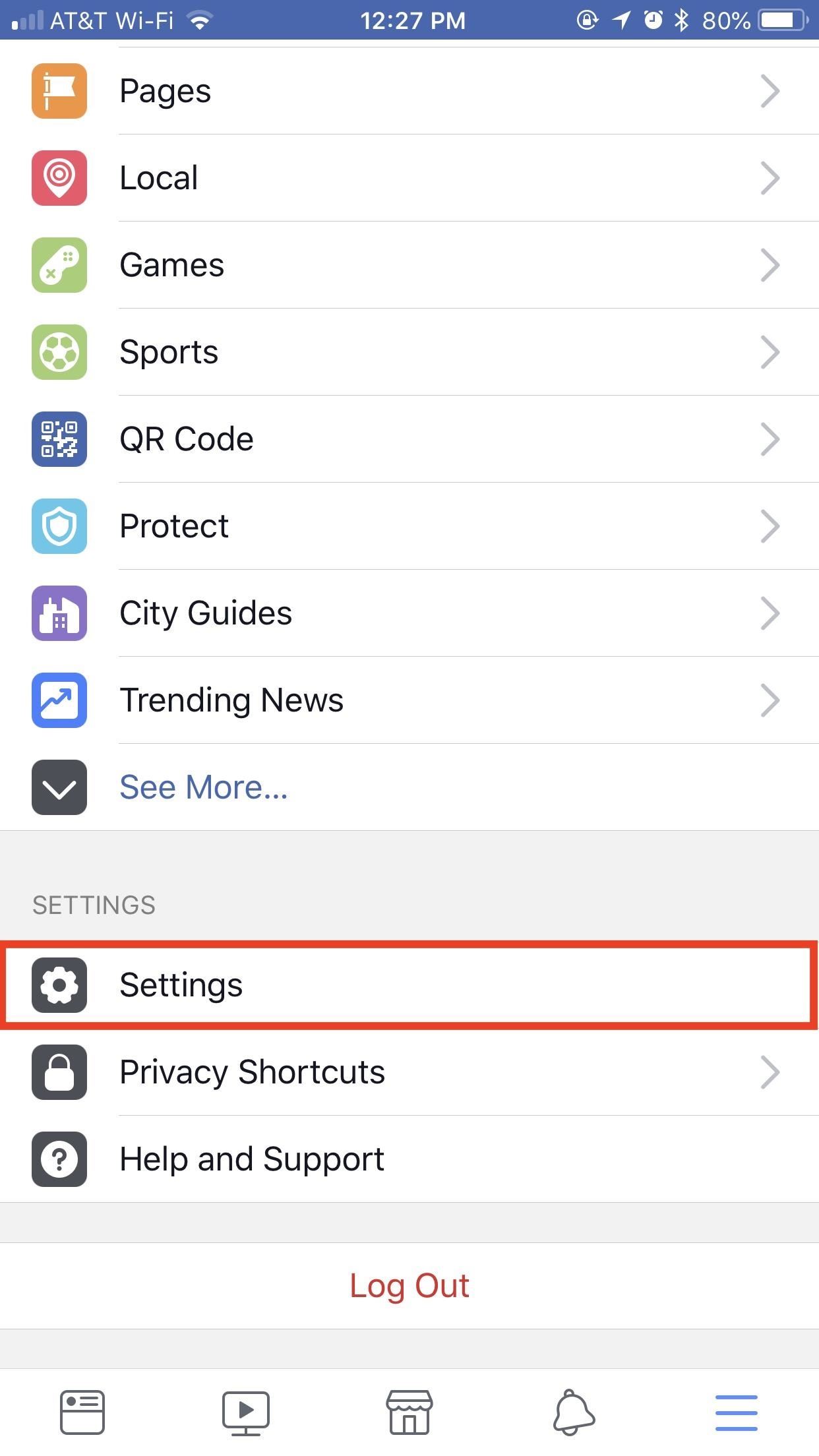
Method 1: Deactivating Your Account (Temporary)Deleting your account is difficult, but deactivating it is easy. Why? Because deactivation is totally temporary. It essentially puts a hold on your account, which bars other users from contacting you, searching for you, or viewing your seemingly "deleted" profile.Here's the catch — anytime you want to reinstate your account, you can simply log in using your email and password. It's that easy. If you're unsure if you really want to delete your Facebook account, you might want to try out deactivation as a sort of consequence-free trial-run.To begin, tap on the hamburger menu in the bottom-right corner of the display (top-right on Android), then tap "Settings." Tap "Account Settings," then, on the following page, tap "General." Next, tap "Manage Account," then "Deactivate" when the following page loads. Enter your password when prompted to proceed. This is where Facebook begins to play dirty. The site will throw a handful of friends at you, lamenting the loss if you do go ahead and deactivate your account. It's a little pathetic, to be honest.Once you've brushed off Facebook's false sentimentality, you can fill out their exit survey if you wish, but all you really need to do is scroll to the bottom of the page and tap "Deactivate." Keep in mind, you can always get your account back by just logging in with your credentials at any time. There are paths that aren't so wishy-washy, however ...

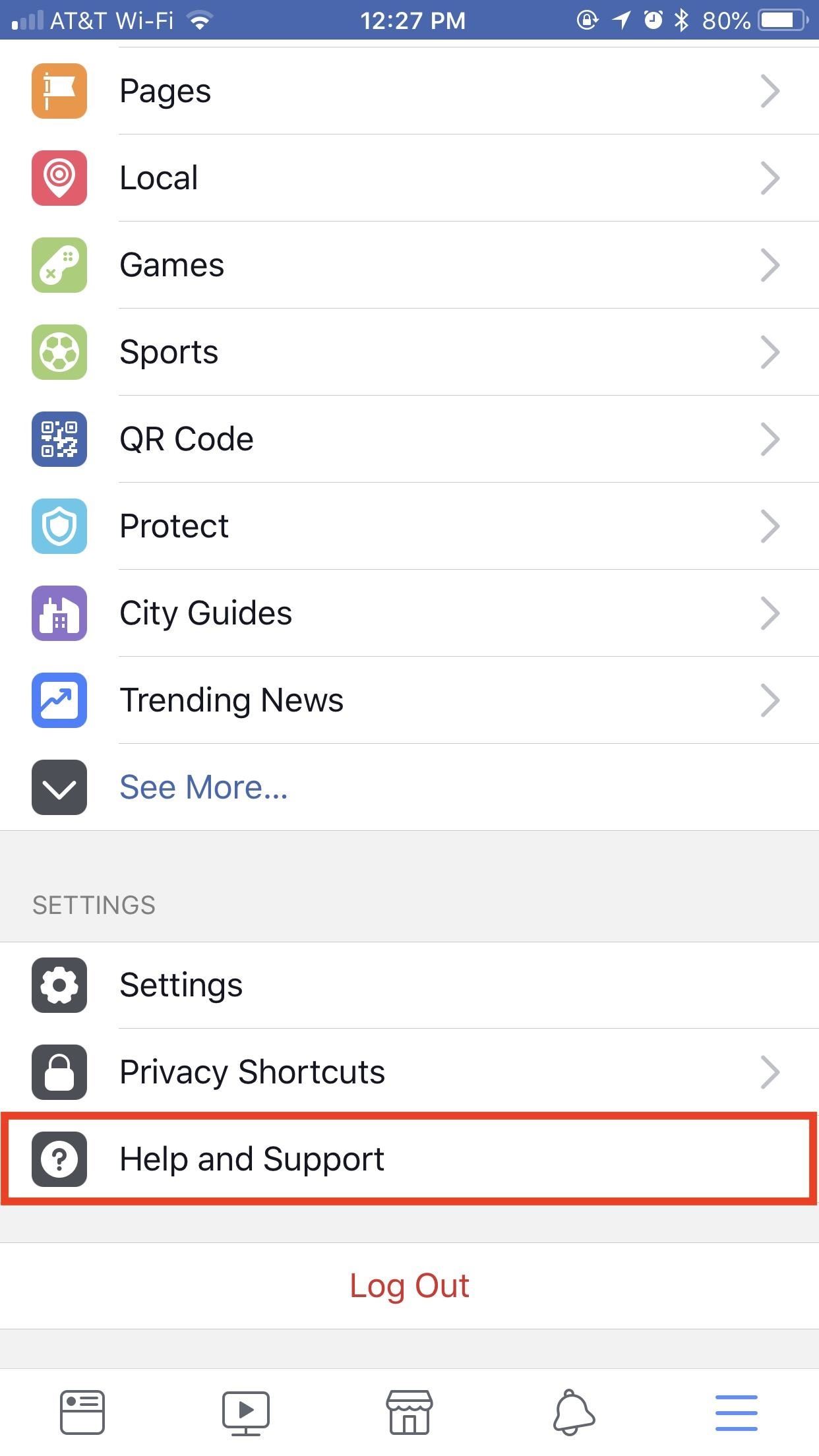
Method 2: Deleting Your Account (Permanent)Hey, to some degree, we all hate Facebook. But there's usually something that keeps us tied to the platform. If you're sure you don't care about the photos you've shared, your chats on Messenger, the friend's list you've spent years curating, deletion can be yours. But you won't be able to do so impulsively.As much as you have perhaps struggled with deleting your account, Facebook really doesn't want to see you go. You'll notice if you dive into your account's setting there's no "DELETE" button anywhere to be found, and that's intentional. Cambridge Analytica is some scary stuff, but let's face it — the news gives us plenty of reasons to delete Facebook on a daily basis. They don't want you randomly pulling that trigger.If you want to delete your account via the Facebook app, you'll need to dive into the "Help" settings. Tap on the hamburger menu in the bottom-right corner of the display (top-right on Android), then scroll down and tap "Help and Support" then "Help Center" ("Help Center" only on Android). (1) iOS. (2) iOS. (3) Android. In the Help Center, tap "Managing Your Account," then "How do I permanently delete my account?", then "Deactivating or Deleting Your Account." Alternatively, you can search for "How do I permanently delete my account?" in the search bar below Help Center, then follow the same steps from there. Once on the "How do I permanently delete my account?" article, read the first paragraph. It details how you won't be able to retrieve any of your Facebook data upon deletion, and how you might want to download a copy of your account to your computer. Tap the "let us know" hyperlink at the end of the first paragraph to open the "Account deletion" page. Finally, enter your Facebook password in the form, then tap "Submit" to say goodbye. There is an official site for deleting your account as well, if you'd rather not go through the app. Just head to this link, log in, re-enter your password, then enter your password a final time on the "Confirm Facebook Account Deletion" page. Just as you would above, tap "Submit" to begin the process. If you made it through this article, but decided that deletion isn't for you, why not try something less drastic instead? Check out our guide below on the best smartphones to buy with privacy in mind.Don't Miss: The 4 Best Phones for Privacy & SecurityFollow Gadget Hacks on Pinterest, Reddit, Twitter, YouTube, and Flipboard Sign up for Gadget Hacks' daily newsletter or weekly Android and iOS updates Follow WonderHowTo on Facebook, Twitter, Pinterest, and Flipboard
Cover image and screenshots by Jake Peterson/Gadget Hacks


How to delete or deactivate a Facebook account - what's the difference? There are two different ways to get your Facebook account offline. The first is deactivating, which means:. You can


A deletion request is cancelled if you log back into your Facebook account during this time. It may take up to 90 days to delete data stored in backup systems. Your information isn't accessible on Facebook during this time. Some information, such as messaging history, isn't stored in your account.
Facebook Doesn't Make It Easy to Delete Your Account. Here's


My Facebook account was very clean, perhaps indicating that I need to go out and have more fun in life? SimpleWash can sometimes find false positives. On my Timeline the app picked up a misspelling of "as" and a Wonder of Tech article from last year, Do You Feel the Need for Speed? , highlighting the word "Speed".
How to delete a Facebook account permanently in 3 simple steps


If you don't want Facebook keeping your data, and you're sure you won't be back, go all the way and delete your account. Deleting your account really isn't easy and comes with a couple of extra
Article: Facebook 101: How to Delete Your Account & Scrub


Now, they say nothing on the internet can be erased, but besides the odd message here and there kept by your Facebook friends, your data will be destroyed if you delete your account. Facebook claims they delay deletion request a few days, so if you log back in during that time your account will be saved.
How to completely delete Facebook from your life


How to delete Facebook posts. The base of my project consisted of a Chrome extension called Social Book Post Manager (which I can imagine is quite popular lately). The extension basically runs on your Activity Log and allows you to delete posts, unlike posts and hide/unhide posts from your Facebook history.
How to Delete Your Facebook Account & Scrub Your Data


My Account Settings Log out. News & Politics I Decided to Delete All My Facebook Activity At the bottom of that page is a link to download your data. Facebook will assemble a package of
How do I permanently delete my Facebook account? | Facebook


You won't be able to use Facebook Login for other apps you may have signed up for with your Facebook account, like Spotify or Pinterest. You may need to contact the apps and websites to recover those accounts. Some information, like messages you sent to friends, may still be visible to them after you delete your account. Copies of messages you
Scrub Your Facebook Clean! - The Wonder of Tech

How to delete your Facebook information without deleting your


Article: Austin has been hit by 4 bombs in 3 weeks. The president is silent.
Facebook cleansing: How to delete all of your account activity.


Deleting Facebook means you can never access your account again or retrieve any of your content or data.That means you need to take additional steps to remove traces of your Facebook data (as well
Deactivating or Deleting Your Account | Facebook Help Center

How To: Create a new folder on your Android phone

How To: Create a new folder on your Android phone
Is your Android phone's home screen a mess? One of the salient advantages of a Google Android smartphone over, say, an Apple iPhone, is the inherent extendibility of the open-source Android mobile OS. There are a seemingly infinite number of settings to tweak and advanced features to discover and use. This free video tutorial will show you how to create and use file directories on your Android device. Please enable JavaScript to watch this video.


The easiest way to view your cellular data usage is within the Settings app, but this is only really helpful for users who have T-Mobile or some overseas carrier. If you have AT&T, Sprint, or Verizon, you won't be able to see your actual data usage, but you will still be able to work out a method for estimating your monthly data usage, though
8 Tips to reduce high data usage on your iPhone or iPad

How to Download IPA Files for the iOS Apps on Your iPhone


More Evidence Emerges to Suggest 2018 iPhones Won't Be Bundled With Lightning to Headphone Jack Adapter headphones to plug them into the Lightning connector using an adapter included in the
Best wireless Bluetooth headphones for iPhone XS, XS Max and


Microsoft has made Windows 10 the most cloud-oriented Windows version so far, as it has provided its user with some handy features. Some of these features in general shares your personal data to the Microsoft servers which means that they can snoop whatever you have been doing regarding some features.
How To: Everything You Need to Disable in Windows 10


Do you need to replace the LCD screen or other internal part on your HTC Touch? This video take apart guide has been compiled by the RepairsUniverse Team to assist is swapping out many parts on the HTC Touch, but most specifically the LCD screen.
HTC Touch LCD Screen Replacement - iFixit Repair Guide


ShopSavvy is a mobile app that lets you scan the barcode of any product and compare all the best prices online and locally.
ShopSavvy - Barcode Scanner - Apps on Google Play


How to Change the Background on a Google Presentation. Google Presentation is one of the applications included in the Google Docs office suite that lets users create slideshow presentation online without downloading any software.
Change background color of single page in Google Document


Android and iOS are constantly running in parallel, copying (and expanding on) each other's features. But they're not always at parity. Here's a closer look at a handful of things Android can do that you won't find on iPhone—even after you upgrade to iOS 12 this Fall.
Touch Screen Phones Before iPhone


News: In a Rare Moment, Pixel's Sales Figures Are Revealed News: The Pixel 3a XL Is Shaping Up to Be the Best Google Phone This Year How To: Get the iPhone's Emoji on Your Google Pixel or Pixel XL How To: Get the Entire Google Pixel Experience with One Simple Mod
Get the Google Pixel 2's Product Sans Font from Android Oreo 8.1


Samsung will announce the successor to the Gear S3 next week at IFA, the company tells CNBC. The company has used the electronics trade show in Berlin to launch its Gear S devices over the years,
Samsung Expands Smartwatch Portfolio with Gear S3


You can interact with them individually within the group or operate the whole group at once. We are sure that all the above discussed new iOS 12 features will help you all a lot in operating the Apple products - iPad, iPhone, and iPod easily and in a better way.
91 Cool New iOS 11 Features You Didn't Know About | Tech
techonline.news/91-cool-new-ios-11-features-you-didnt-know-about/
Apple's iOS 11 is finally here, and while they showed off several of the new features it brings to your iPhone, iPad, and iPod touch back at WWDC 2017, they've only just touched the surface of what iOS 11 has to offer.
30 Exciting New iOS 11 Features You Didn't Know About


If you're anything like me, you like to be able to fully exit your iPhone apps to help free up memory, improve battery life, or to just get out of an app that has become unresponsive, but iOS 7 changed the way it's done. How Force-Closing Apps Works in iOS 7 & Higher iOS 7's new method to completely
How to Completely Close Out Running Applications in the New